
IDPhotoSize
محرر صور الهوية الرسمي — مجاني، فوري وخاص. صورتك لا تغادر جهازك أبدًا.
Give your photo the identity it deserves!
Why AI-Edited Photos Are Rejected by Passport and Visa Agencies
The Core Rule: Your Photo Must Be a True Likeness
Passport and visa photos serve one purpose — identity verification. The image on your document is compared against you every time you cross a border, check into a hotel, or verify your identity online. Any tool that changes how you look, even subtly, works directly against that purpose.
This is why virtually every passport and visa agency worldwide requires photos to be "natural and unaltered." That rule long predates AI — it was originally aimed at Photoshop retouching — but the rise of generative AI and one-click enhancement apps has pushed agencies to enforce it more aggressively.
How AI Edits Break Biometric Verification
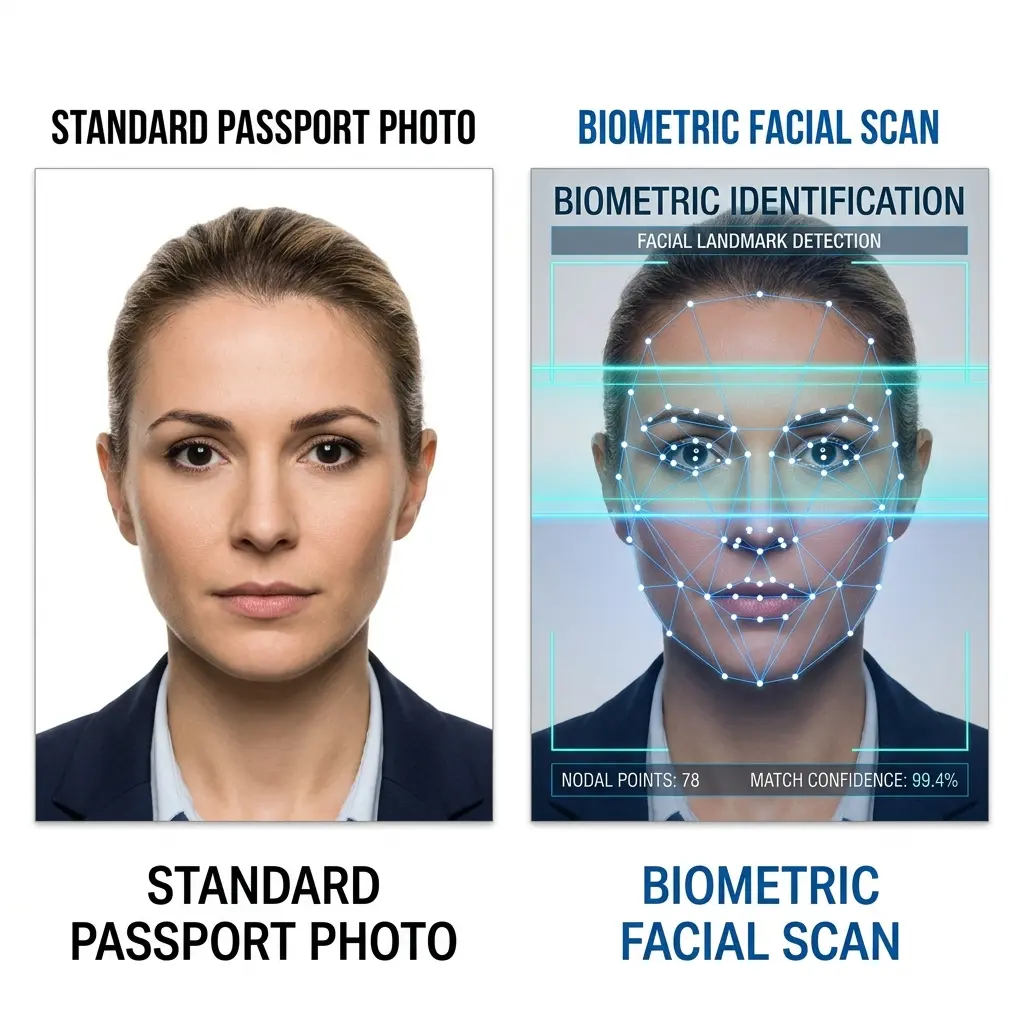
Modern border control relies on automated facial recognition, not just a human glancing at your photo. These systems measure precise geometric relationships between facial landmarks: the distance between your pupils, the width of your nose bridge, the contour of your jaw.
AI "enhancement" tools — including smartphone beauty modes, background replacement apps, and generative upscalers — can subtly distort these measurements in ways invisible to the naked eye but detectable by biometric software. Common distortions include:
- Facial geometry shifts: Slimming filters widen the interpupillary distance relative to face width, causing a mismatch with live scans.
- Skin texture smoothing: Removes pores, scars, and natural skin texture that biometric systems use as secondary identifiers.
- Eye brightening / whitening: Changes the reflective profile of the iris, which some systems use for liveness detection.
- Hair / ear artifacts: AI background removal tools often "cut into" hair or ears, creating an unnaturally sharp silhouette that flags manual review.
What Is Specifically Forbidden
| Category | Examples | Why It's Rejected |
|---|---|---|
| Appearance alteration | Blemish removal, skin smoothing, teeth whitening, slimming | Changes the face geometry used by biometric scanners |
| AI beauty filters | Snapchat-style filters, phone "portrait mode" enhancements | Subtly reshape facial features |
| Generative AI photos | Fully synthetic faces, AI avatars | Not a real likeness of the applicant |
| Background manipulation | AI-generated backgrounds, gradient backdrops, textured walls | Most agencies require a plain, uniform light background |
| Color / lighting correction | Dramatic colour grading, heavy shadow removal | Can alter skin tone matching used in biometric checks |
| Over-sharpening / upscaling | AI super-resolution applied to low-res selfies | Introduces artefacts and can alter facial proportions |
Agencies That Have Explicitly Updated Their Policies
Several major agencies have issued updated guidance specifically addressing digital manipulation and AI:
- U.S. State Department — Has long prohibited "digitally altered" photos. More recently has flagged AI-generated photos as a fraud vector and updated staff guidance accordingly.
- Immigration New Zealand (INZ) — Updated guidelines to explicitly ban AI enhancements and state that photos must show the applicant's "natural appearance."
- Singapore ICA — Requires photos to be "unedited" and "taken by a photographer," with explicit rejection of photos processed by editing software.
- UK HMPO — Prohibits any image editing; photos "must not have been digitally altered in any way."
- USCIS (U.S. green card / immigration) — Tightened requirements in late 2025, with stronger preference for photos taken within 3 years and increased scrutiny of self-submitted digital photos.
What Is Allowed
Not all digital processing is banned. The following adjustments are universally accepted:
- Cropping and resizing to meet dimension requirements (e.g. 2×2 inches, 35×45 mm)
- Converting to the correct background colour — replacing a grey or beige studio backdrop with pure white using a clean mask
- File format conversion (JPEG, PNG)
- Colour space adjustment to sRGB for printing
The key distinction is whether the edit changes how you look. Resizing the canvas doesn't; smoothing your skin does.
What This Tool Does (and Doesn't Do)
ID Photo Size performs only the adjustments that agencies permit:
- Background removal — we detect and remove the background, replacing it with the plain white or off-white required by the target agency. We do not touch your face, hair, or skin.
- Cropping and framing — we detect your face and crop to the exact dimensions required (head size, chin-to-crown ratio, margins), following each country's official specifications.
- File sizing — we compress and resize the output to meet the file size limits of specific government portals.
We do not apply any beauty filters, skin smoothing, sharpening, or generative AI to your photo. The face in your output is identical to the face in your input — just properly framed and with a compliant background.
Practical Tips for a Photo That Will Pass
- Use a plain, light-coloured wall as your background. Even with clean background removal, starting with a simple background produces a sharper mask.
- Take the photo in good natural light — overcast daylight is ideal. Avoid harsh shadows under the nose or chin.
- Use your phone's standard camera mode, not portrait mode. Portrait mode applies depth-of-field blur and sometimes AI skin processing.
- Disable beauty or "smooth skin" features in your camera app before shooting.
- Check your country's exact requirements before printing — head size, background colour, and file size limits vary significantly.
- A "plain" photo beats a "nice" photo. A slightly unflattering but accurate photo will always be accepted over a polished but altered one.
The Bottom Line
The rule is simple: your ID photo must look like you, with no digital enhancement to your appearance. Background removal and format conversion are fine. Anything that touches your face is not.
The increase in AI-generated fraud has made agencies much less tolerant of even minor editing. When in doubt, do less — not more.