
IDPhotoSize
محرر صور الهوية الرسمي — مجاني، فوري وخاص. صورتك لا تغادر جهازك أبدًا.
Give your photo the identity it deserves!
Top 5 Reasons Your Passport and Visa Photos Get Rejected
Why Do Photos Get Rejected?
Having your passport or visa application delayed because of a bad photo is incredibly frustrating. Government agencies process millions of applications, and their automated biometric systems and human reviewers are trained to instantly flag photos that don't meet strict technical and compositional guidelines.
If your photo gets rejected, your application goes to the back of the line. Here are the top 5 reasons your ID photo might be rejected, and how to avoid making these common mistakes.
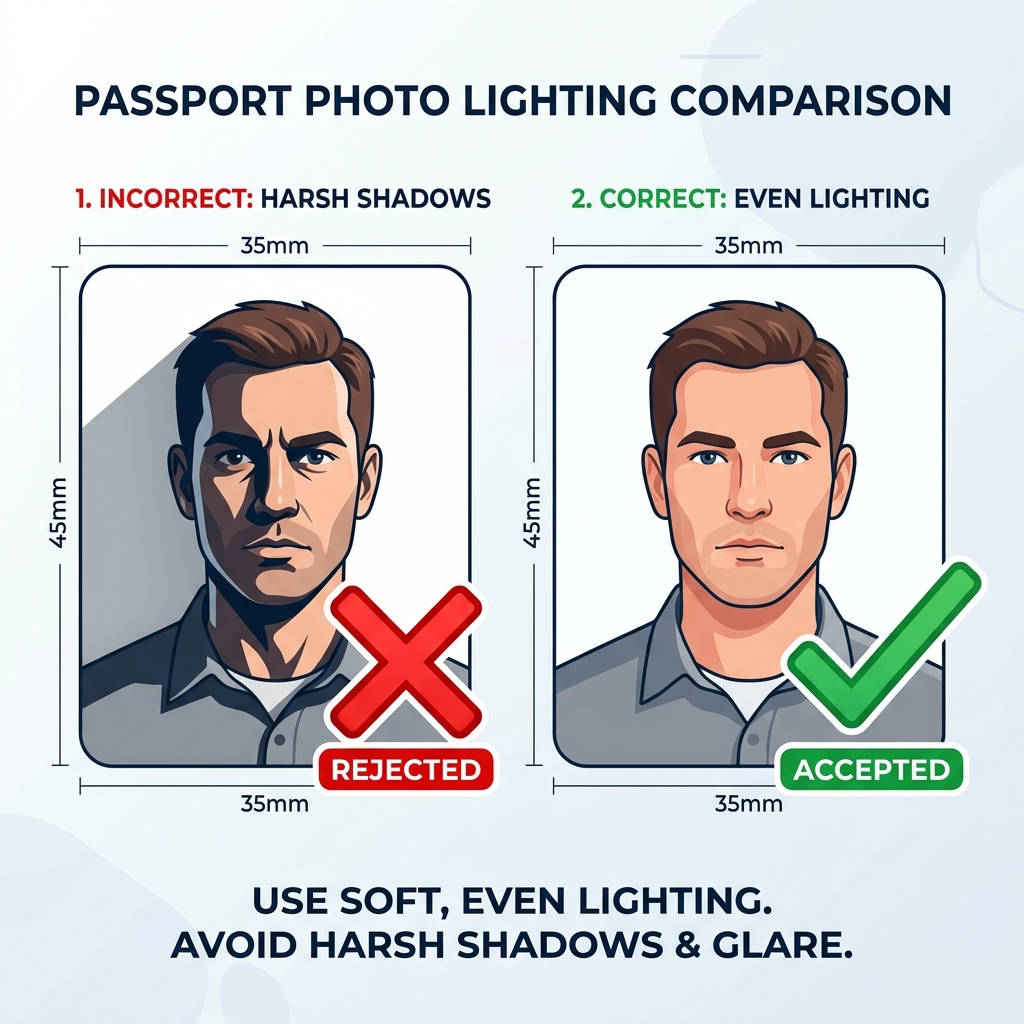
1. Harsh Shadows and Poor Lighting
The Problem: Your face or the background behind you has visible shadows.
Why it's rejected: Biometric scanners need to measure the exact geometry of your face. Shadows under your nose, chin, or eyes can obscure these features or trick the scanner into miscalculating distances. Shadows on the background make it harder for automated systems to separate your silhouette from the backdrop.
The Fix: Stand facing a window providing indirect, natural daylight. Turn off overhead lighting and never use your camera's flash. Step 1 to 2 feet away from the wall to prevent casting a shadow behind you.
2. Incorrect Sizing and Proportions
The Problem: Your head is too big, too small, or not centered correctly within the frame.
Why it's rejected: Every country has specific requirements for the "head size" (the distance from your chin to the crown of your head) relative to the overall photo size. If your head occupies too much or too little of the canvas, the photo fails compliance checks.
The Fix: Use a dedicated formatting tool like ID Photo Size. Instead of guessing the proportions, our tool automatically detects your face and crops the image exactly to the official biometric guidelines for your selected country.
3. Glasses, Glare, and Hair Obscuring the Face
The Problem: You're wearing glasses (especially in countries that ban them, like the US), or your hair is covering your eyebrows or the sides of your face.
Why it's rejected: Glasses create a barrier for facial recognition. The frames can obscure your eyes, and the lenses frequently reflect light (glare), hiding your iris. Similarly, your eyebrows and the edges of your face are key biometric markers that must be fully visible.
The Fix: Take off your glasses — even if you wear them every day. Tuck your hair behind your ears and ensure your bangs aren't covering your eyebrows.
4. Unnatural Expressions and Smiling
The Problem: You are smiling, frowning, or your mouth is open.
Why it's rejected: Facial recognition software maps your face based on its relaxed, neutral state. Smiling changes the shape of your eyes, cheeks, and jawline, rendering the photo useless for automated comparison against your face at border control.
The Fix: Keep a completely neutral expression. Do not smile, ensure both eyes are fully open, and keep your mouth closed.
5. AI "Enhancements" and Digital Alterations
The Problem: You used a beauty filter, skin smoother, portrait mode, or AI tools to touch up the image.
Why it's rejected: Generative AI and beauty filters on smartphones subtly alter facial geometry, smooth out skin textures (which are used as secondary biometric identifiers), and can even reshape your jawline or eyes. Using these tools means the photo is no longer a true, unaltered likeness of you. If you show up at a border with a passport containing an AI-altered face, the biometric scanners may fail to recognize you, leading to serious delays, questioning, and potential travel denials.
The Fix: Turn off all "beauty modes" on your phone camera. Never use generative AI to enhance the quality or upscale your photo. The only acceptable digital edits are background removal and cropping, provided they do not touch your actual face or hair. (This is the only type of editing ID Photo Size performs).
The Bottom Line
Taking a compliant passport photo doesn't require a professional studio, but it does require attention to detail. Keep your lighting soft, your expression neutral, your face clear of obstructions, and completely avoid AI enhancements. Use a reliable cropping tool to handle the complex sizing requirements, and your application will sail through the review process.